0 ratings








Item #:
83533826
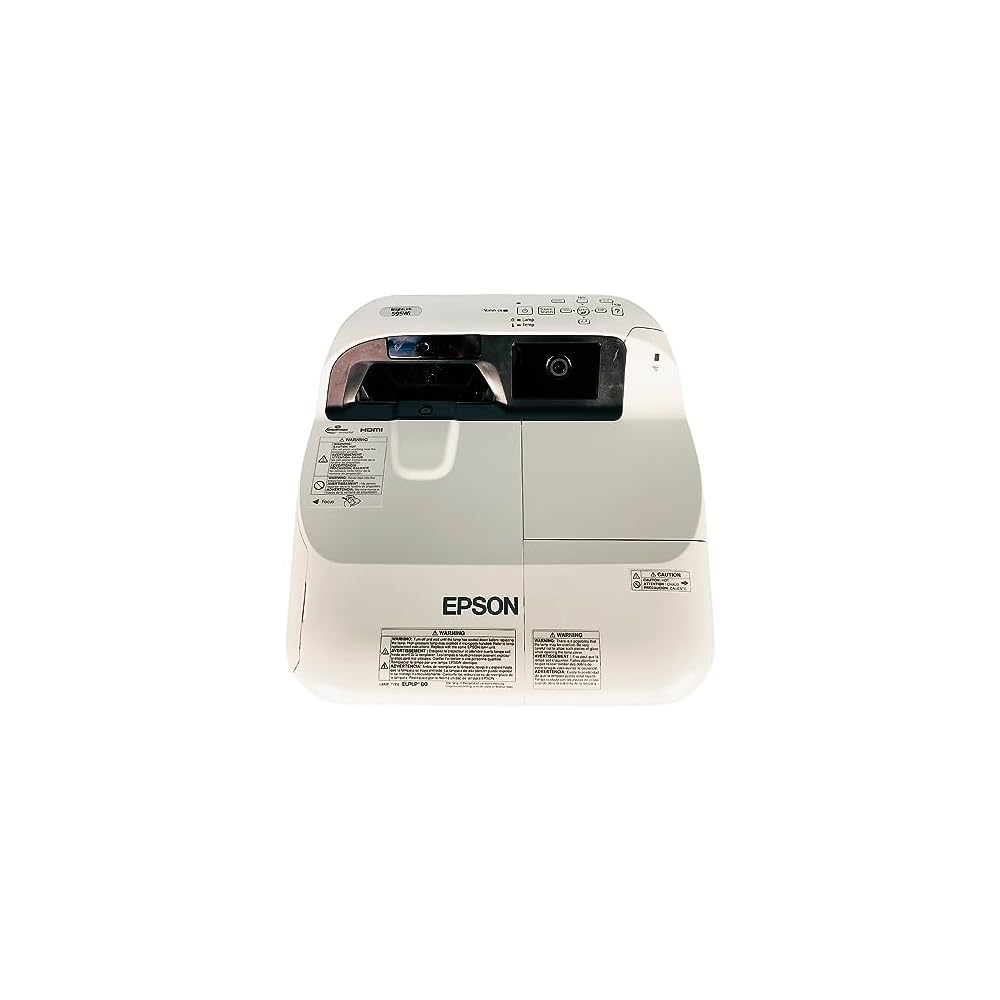
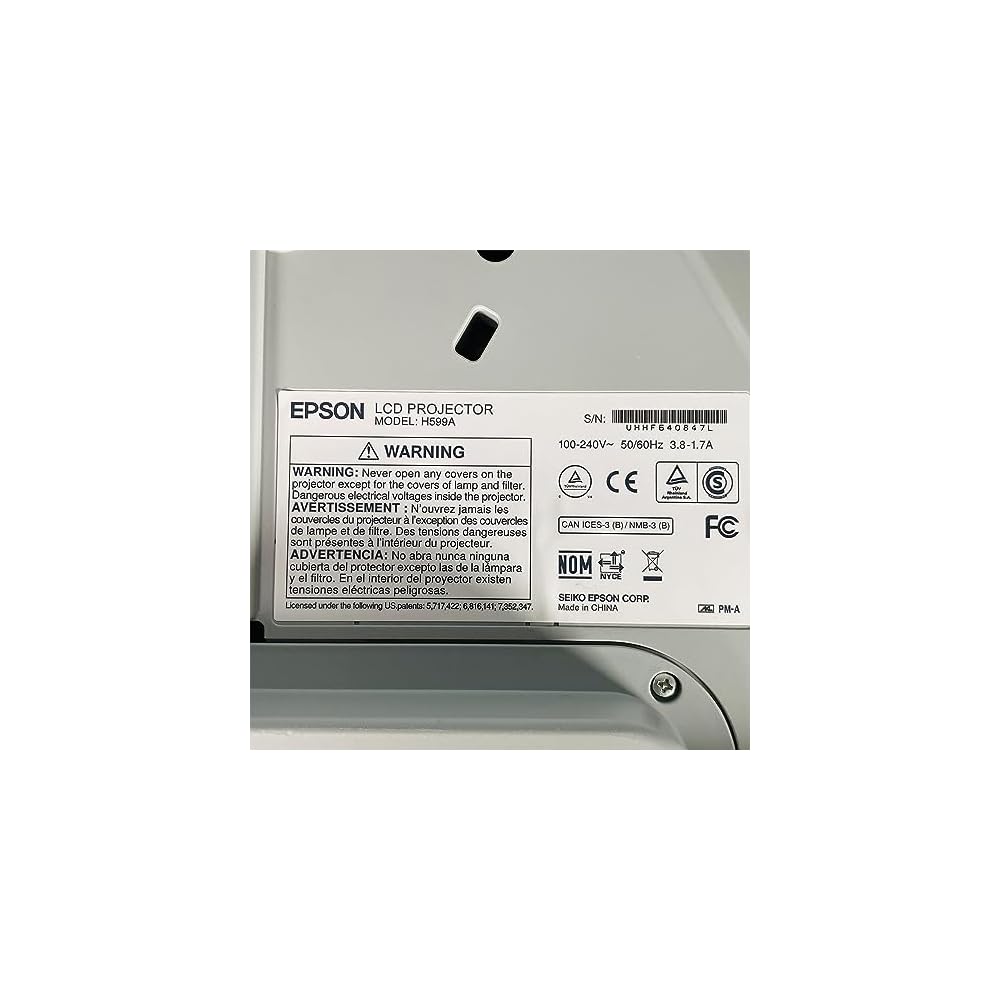
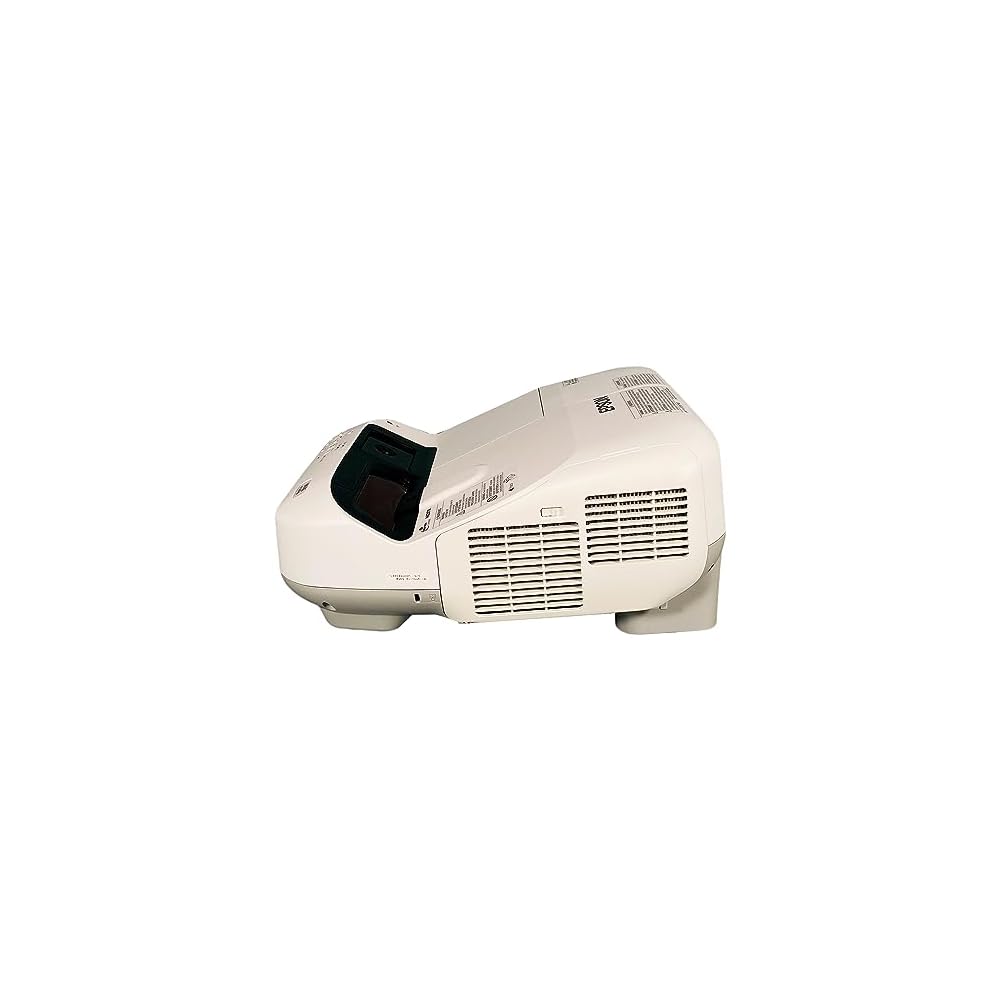
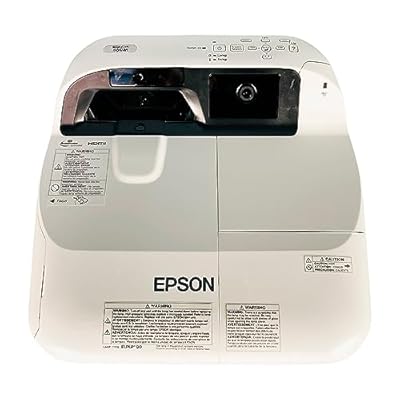
BrightLink 595Wi WXGA 3300 ANSI Interactive Projector 3LCD Ultra Short Throw HDMI, Bundle: Remote Control, HDMI Cable, Power Cable
Item #:
83533826
XCD 5694
Price Details
Excluding Shipping & Custom charges ( Shipping and custom charges will be calculated on checkout )
*All items will import from US
0 ratings
Write a review
In stock
 Imported from USA store
QTY:
Only 1 item left in stock.
Order now and get it around Monday, July 06
Secured transaction
Ubuy works hard to protect your security and privacy. Our advanced payment security system ensures confidentiality by encrypting your information during transmission using AES (Advanced Encryption Standards) and SSL (Secure Socket Layer) protocols. Your payment details are 100% secure as we do not share your payment details with third party sellers.
Our Top Logistics Partners


Experience vibrant, true-to-life images with the Epson BrightLink 595Wi Projector's innovative 3LCD technology.

Fast
Shipping

Free
Return*

Secure Packaging

100% Original Products

PCI DSS Compliance

ISO 27001 Certified


What Stands Out
Ultra Short Throw
Project large images from minimal distance, ideal for classrooms or small spaces, eliminating distortion and maximizing space efficiency.
Interactive Functionality
Engage audiences with touch capabilities, enabling direct interaction on the projected surface for an immersive and collaborative experience.
High Brightness
With 3300 ANSI lumens, this projector ensures vibrant visuals even in well-lit environments, making presentations impactful and easily visible to all.
Product Details
- Epson BrightLink 595Wi
- Contrast 10,000:1
- Brightness 3,300 ANSI
- Resolution 1280x800
- Aspect Ratio 16:10
| Additional Features | Ultra Short Throw |
| Connectivity Technology | HDMI, USB |
| Native Resolution | 1280 x 800 |
| Display Resolution Maximum | 1280 x 800 |
| Display Type | LCD |
| Form Factor | Portable |
| Mounting Type | Tabletop Mount |
| Brightness | 3300 Lumen |
| Color | Standard |
| Controller Type | Remote Control |
| Compatible Devices | Television, Gaming Console, Laptop, Smartphone, Tablet |
| Contrast Ratio | 10000:1 |
| Maximum Throw Distance | 1.5 Meters |
| Light Source Operating Life | 10000 Hours |
| Hardware Connectivity | HDMI, USB |
| Control Method | Remote |
| Video Encoding | H.264, H.265 |
| Projector Maximum White Brightness | 3300 ANSI Lumens |
| Picture Quality Enhancement Technology | 3LCD technology |
| Brand | Tekswamp |
| Antenna Location | Education |
| Built-In Media | Remote Control, HDMI Cable(s), Power Cable |
| Model Name | Epson BrightLink 595Wi |
| Model Number | Epson BrightLink 595Wi |
| Manufacturer | Epson. |
| Unit Count | 1.0 Count |
| Item Weight | 12.1 Pounds (5.49 kg) |
| Recommended Uses For Product | Education |
| Special Feature | Ultra Short Throw |
| Display resolution | 1280 x 800 |
Who Should Buy?

-
Classroom Use
Ideal for teachers who want to engage students interactively with a large display and easy-to-use features.
-
Business Presentations
Perfect for professionals needing high-quality visuals for presentations with multiple display options and interactivity.
-
Collaborative Workspaces
Great for teams looking for an interactive solution to enhance brainstorming sessions and group discussions.

-
Home Theater
Not suitable for those seeking high-end cinematic experiences with advanced video features and higher resolution projectors.
-
Casual Usage
Less ideal for users needing a simple, easy-to-set-up projector for occasional movie nights or presentations.
-
Budget-Conscious Buyers
May not be the best choice for individuals looking for a more affordable and basic projector option.
Product Description
Have any Query? Chat with us
Customer Questions & Answers
-
Question:
What are the main features of the Epson BrightLink 595Wi projector?
Answer: The Epson BrightLink 595Wi projector offers features such as WXGA resolution (1280 x 800), 3300 ANSI lumens brightness, and 3LCD technology which provides vibrant color and clear images. Additionally, it includes ultra short throw capabilities, allowing it to project large images from a short distance, making it ideal for small classrooms or conference rooms. This projector also comes bundled with a remote control, HDMI cable, and power cable, enhancing your usability right out of the box. -
Question:
Is the Epson BrightLink 595Wi suitable for classroom use?
Answer: Yes, the Epson BrightLink 595Wi is specifically designed for educational settings. Its ultra short throw design minimizes shadows, allowing teachers to engage with their students closely without being obstructive. The interactive features also enable touch capability when paired with the right software, providing an immersive learning experience. Schools can utilize this projector for presentations, interactive lessons, and multimedia projects, improving student engagement and participation. -
Question:
Can I connect my laptop or other devices to the Epson BrightLink 595Wi?
Answer: Absolutely! The Epson BrightLink 595Wi projector supports HDMI connectivity, allowing you to easily connect laptops, tablets, and other multimedia devices. In addition, it has USB ports which enable additional connectivity options. This versatility is essential for presentations, lessons, or movie viewings where you may need to switch between different devices, making it convenient for both educators and business professionals. -
Question:
What kind of maintenance does the Epson BrightLink 595Wi require?
Answer: Maintenance for the Epson BrightLink 595Wi primarily involves cleaning the air filter and ensuring the lens remains free of dust. Regularly checking the filter can help maintain optimal performance and prevent overheating. Additionally, software updates can improve device functionality. This low-maintenance approach is particularly appealing for busy environments, ensuring that the projector remains reliable and efficient for extended periods. -
Question:
How does the interactive feature work on the Epson BrightLink 595Wi?
Answer: The interactive feature of the Epson BrightLink 595Wi projector allows users to interact directly with the projected image through touch or stylus. This is facilitated by infrared technology which detects touch input on the screen. This makes it ideal for engaging discussions or interactive lessons, as students can directly participate by moving, annotating, or accessing content on the screen. These features enhance collaborative learning and make presentations more dynamic. -
Question:
What is the throw distance of the Epson BrightLink 595Wi?
Answer: The Epson BrightLink 595Wi is designed as an ultra short throw projector, which means it can project large images from very close distances. Typically, you can achieve a 100-inch display from as little as 3 to 6 inches away from the projection surface. This feature is perfect for small rooms, making it a popular choice in classrooms and conference rooms where space is limited yet a large image display is required. -
Question:
What type of content is best suited for the Epson BrightLink 595Wi projector?
Answer: The Epson BrightLink 595Wi is versatile and can project various types of content, including presentations, videos, and interactive lessons. Its high brightness level and clarity make it ideal for both bright and dim environments. This makes it suitable for educational purposes, corporate meetings, or public displays where engaging visuals are essential. Additionally, the interactive features allow for smooth integration of quizzes and group activities, creating a comprehensive learning environment. -
Question:
Does the Epson BrightLink 595Wi support wireless connectivity?
Answer: Yes, the Epson BrightLink 595Wi supports wireless connectivity when paired with an optional wireless module. This feature allows you to project content without the need for messy cables, enabling a neat setup, especially in classroom or conference settings. The wireless capability is particularly beneficial for users who frequently move between different devices or wish to connect smartphones or tablets, ensuring a seamless experience in sharing presentations or media. -
Question:
What lamps does the Epson BrightLink 595Wi use?
Answer: The Epson BrightLink 595Wi uses a high-performance lamp designed for long life, ensuring that the projector maintains brightness and color quality over time. This projector employs 3LCD technology, which not only enhances color accuracy but also provides impressive light output without the risk of color distortion. By using energy-efficient lamps, users can enjoy extended viewing sessions while keeping maintenance costs low. -
Question:
Where can I buy the Epson BrightLink 595Wi in Anguilla?
Answer: You can purchase the Epson BrightLink 595Wi projector from Ubuy, a reliable e-commerce platform that offers a wide selection of electronics. Ubuy provides an easy shopping experience along with competitive prices and various shipping options. This makes it simple to find and acquire the Epson BrightLink 595Wi, ensuring that you can enjoy its advanced projection features for your educational or business needs.
Tekswamp Video Projectors Epson BrightLink 595Wi Editorial Review
No editorial reviews found
Customer Reviews & Ratings
2 customers ratings
-
5 Star
26%
-
4 Star
74%
-
3 Star
0%
-
2 Star
0%
-
1 Star
0%
Review this product
Share your thoughts with other customers
Pros
- High-quality interactive display
- Ultra short throw design
- Easy setup and installation
- Great for classroom use
- Includes necessary accessories
Cons
- Occasional lag in response time.
Product Price History
Important information
- Limitations : For products shipped internationally, please note that any manufacturer warranty may not be valid; manufacturer service options may not be available; product manuals, instructions, and safety warnings may not be in destination country languages; the products (and accompanying materials) may not be designed in accordance with destination country standards, specifications, and labeling requirements; and the products may not conform to destination country voltage and other electrical standards (requiring use of an adapter or converter if appropriate). The recipient is responsible for assuring that the product can be lawfully imported to the destination country. When ordering from Ubuy or its affiliates, the recipient is the importer of record and must comply with all laws and regulations of the destination country.
- Not all the products listed on Ubuy are for sale, as Ubuy is a global search engine. Products are subject to export/trade regulations.
XCD 5694
Order now and get it around Monday, July 06
This item is not restrict in my country.(Please click on above link if this item is not restrict in your country, So our team will review and allow.)
QTY:
Only 1 item left in stock.
Secured transaction
Ubuy works hard to protect your security and privacy. Our advanced payment security system ensures confidentiality by encrypting your information during transmission using AES (Advanced Encryption Standards) and SSL (Secure Socket Layer) protocols. Your payment details are 100% secure as we do not share your payment details with third party sellers.
Our Top Logistics Partners
Fastest cross-border delivery
Features & Benefits
- WXGA Ultra Short Throw projector with 3,300 Lumens brightness.
- Native resolution of 1280x800 for crisp, detailed images.
- Advanced 3LCD technology for vibrant, true-to-life colors.
- Supports multiple video modes including 720p and 1080i.
- Multiple connectivity options: HDMI, USB, LAN, and more.
- High contrast ratio of 10,000:1 for stunning visuals.