- Home Page /
- Electronics /
- Television & Video /
- Streaming Media Players /
- fireCable HDMI Extender for Roku Streaming Stick, Faste...
0 ratings

Item #:
24477449
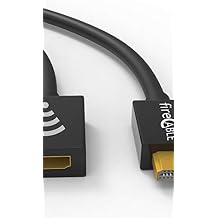
fireCable HDMI Extender for Roku Streaming Stick, Faster Streaming Less Buffering
Item #:
24477449
XCD 64
Price Details
Excluding Shipping & Custom charges ( Shipping and custom charges will be calculated on checkout )
*All items will import from US
0 ratings
Write a review
In stock
 Imported from USA store
QTY:
Order now and get it around Wednesday, June 24
Secured transaction
Ubuy works hard to protect your security and privacy. Our advanced payment security system ensures confidentiality by encrypting your information during transmission using AES (Advanced Encryption Standards) and SSL (Secure Socket Layer) protocols. Your payment details are 100% secure as we do not share your payment details with third party sellers.
Our Top Logistics Partners


Fast
Shipping

Free
Return*

Secure Packaging

100% Original Products

PCI DSS Compliance

ISO 27001 Certified


What Stands Out
Rapid Streaming
Experience superb performance with the fireCable HDMI Extender, designed for seamless streaming with reduced lag and buffering, making it perfect for media enthusiasts who demand the best.
User-Friendly Design
Its plug-and-play setup simplifies installation, allowing users of all tech levels to easily connect their Roku Streaming Stick without hassle, offering immediate access to their favorite content.
High-Quality Build
Crafted with premium materials, the fireCable ensures durability and long-lasting performance, providing exceptional value for buyers looking for reliable streaming solutions that withstand daily use.
Product Details
| Item Weight | 0.5 lbs (230 grams) |
Who Should Buy?

-
Streaming Enthusiasts
Ideal for users who frequently stream content and require high-speed transmission with minimal buffering.
-
Long-Distance Usage
Perfect for setups where the Roku Stick is far from the TV, ensuring a stable connection over longer distances.
-
HDMI Port Limitations
Useful for users with limited HDMI ports, enabling better integration of multiple devices through one reliable extender.

-
Casual Viewers
Not necessary for occasional users who do not encounter buffering issues with standard connections.
-
Low-Resolution Content
Users streaming in low resolutions may not benefit significantly from this product's high-speed features.
-
Budget-Conscious Buyers
Those on a tight budget may find HDMI extenders unnecessary, opting for cheaper, basic options instead.
Product Description
fireCable HDMI Extender for Roku Streaming Stick, Faster Streaming Less Buffering
About This Item
Introducing the fireCable HDMI Extender for Roku Streaming Stick - the ultimate solution to faster streaming and less buffering! Say goodbye to frustrating pauses and enjoy uninterrupted streaming with this innovative WiFi booster. With the fireCable HDMI Extender, you can instantly boost the WiFi signal of your Roku Streaming Stick. No more slow loading times or constant buffering. This device improves weak signals that are often caused by the default location of your streaming device, which is typically right behind your TV.
By repositioning your Roku Streaming Stick, you'll have a direct line of access to your WiFi router, ensuring a faster streaming experience. What sets the fireCable HDMI Extender apart is its larger reach. Unlike other extenders on the market, this newly improved design allows you to position your Roku Streaming Stick up to 4 feet away from its default position. This means you have more flexibility in finding the optimal spot for your streaming device, whether it's closer to your router or in a different area of your home. Say goodbye to buffering on your Roku Stick and experience enhanced streaming performance with the fireCable HDMI Extender.
It's the perfect solution for anyone looking to increase their streaming speed and eliminate frustrating pauses. Whether you're a fan of binge-watching your favorite shows or enjoy streaming movies, the fireCable HDMI Extender is here to enhance your Roku Streaming Stick experience. Don't let weak WiFi signals slow you down - boost your streaming power with fireCable. Upgrade your streaming setup today and start enjoying faster streaming and less buffering with the fireCable HDMI Extender for Roku Streaming Stick. Order now and experience the difference it makes in your streaming performance!.
Have any Query? Chat with us
Customer Questions & Answers
-
Question:
What is the fireCable HDMI Extender for Roku Streaming Stick?
Answer: The fireCable HDMI Extender is a specialized device designed to enhance the connectivity of your Roku Streaming Stick. It offers a unique solution to improve signal strength, enabling faster streaming and reducing buffering during playback. By extending the HDMI reach, it ensures that your device is plugged into a more optimal location, enhancing your viewing experience with seamless access to your favorite content without interruptions. -
Question:
How does the fireCable HDMI Extender reduce buffering?
Answer: The fireCable HDMI Extender reduces buffering by improving the connection quality between your Roku Streaming Stick and your TV. It eliminates interference that may occur when the Streaming Stick is plugged directly into the TV, particularly in tight spaces. This not only leads to consistently high-quality streaming but also ensures that you can enjoy movies and shows without frustrating delays, making it ideal for binge-watching or gaming sessions. -
Question:
Is the fireCable HDMI Extender compatible with all TV models?
Answer: Yes, the fireCable HDMI Extender is designed to be compatible with most TV models that possess an HDMI input. Whether you have a smart TV, a traditional LCD, or a newer LED model, this extender will work effectively in enhancing the HDMI connection of your Roku Streaming Stick. This versatility makes it suitable for a wide range of home entertainment setups, allowing you to streamline your multimedia experience effortlessly. -
Question:
Do I need any special tools to install the fireCable HDMI Extender?
Answer: No special tools are required to install the fireCable HDMI Extender. The process is straightforward, as it involves simply connecting the HDMI cable from your Roku Streaming Stick to the extender, and then plugging the extender into your TV's HDMI port. This simplicity means that anyone can enhance their streaming setup without a complex installation process, allowing you to dive straight into your entertainment. -
Question:
Can I use the fireCable HDMI Extender with other devices?
Answer: Absolutely! While it's specifically designed for the Roku Streaming Stick, the fireCable HDMI Extender can be utilized with a variety of HDMI-enabled devices such as gaming consoles, Blu-ray players, and streaming boxes. This flexibility allows you to boost performance across different devices, ensuring consistent quality and reduced buffering for all your media needs, no matter the source. -
Question:
What length is the fireCable HDMI Extender?
Answer: The fireCable HDMI Extender features a generous length that allows for versatile placement options between your Roku Streaming Stick and your TV. This length is specifically designed to provide adequate reach while maintaining signal integrity, ensuring that you can position your Streaming Stick where it works best without compromising on performance. It’s perfect for setups where your TV is mounted on a wall or in an entertainment center. -
Question:
Will using the fireCable HDMI Extender affect picture quality?
Answer: Using the fireCable HDMI Extender does not negatively affect picture quality; in fact, it can enhance it by providing a cleaner connection by minimizing signal loss. This means whenever you're streaming in HD or 4K, you can expect optimal visual performance without any degradation in clarity. It's especially beneficial for individuals who prioritize high-definition content and wish to ensure that their viewing experience is as immersive as possible. -
Question:
What are the benefits of using an HDMI extender like fireCable?
Answer: Utilizing an HDMI extender like fireCable brings several benefits, including improved connectivity, faster streaming, and reduced buffering. By positioning the Roku Streaming Stick away from the TV, you can prevent interference from other electronic devices. This enhances your streaming experience significantly, making it easier to enjoy uninterrupted content, which is a game-changer for avid viewers and gamers alike. -
Question:
Do I need to use an HDMI cable with the fireCable HDMI Extender?
Answer: Yes, a standard HDMI cable is required to connect the Roku Streaming Stick to the fireCable HDMI Extender. The extender aids in optimizing your setup by minimizing interference, but it relies on the HDMI cable to transmit the signal. This means selecting a good quality HDMI cable will further improve your streaming performance and overall experience, ensuring a robust connection and high-quality signal transfer. -
Question:
Where can I buy the fireCable HDMI Extender for Roku Streaming Stick?
Answer: You can buy the fireCable HDMI Extender for Roku Streaming Stick from Ubuy in Anguilla. Ubuy offers a streamlined shopping experience and ensures that you receive a reliable product through their platform. With Ubuy, you can conveniently explore product details, reviews, and user feedback, making it easier to enhance your streaming experience with the right device.
fireCable Streaming Media Players Editorial Review
The fireCable HDMI Extender is a great tool for Roku Streaming Stick users to enhance their watching experience. One user experienced problems with Roku connectivity which were solved by moving the Roku out from behind the TV. Another user experienced no more overheating of their Roku after installing the fireCable. Overall, it was found to be an easy to install and helpful addition to their options for TV viewing.
Customer Reviews & Ratings
1 customers ratings
-
5 Star
100%
-
4 Star
0%
-
3 Star
0%
-
2 Star
0%
-
1 Star
0%
Review this product
Share your thoughts with other customers
Pros
- Enhances Roku streaming experience by reducing buffering and increasing boot-up speed
- Easy to install
- Solves problems related to Roku overheating and connectivity
Cons
- The extender may not be necessary for each TV as the Roku stick is already TV-specific and some users may not notice a difference in streaming speed.
Product Price History
Important information
- Limitations : For products shipped internationally, please note that any manufacturer warranty may not be valid; manufacturer service options may not be available; product manuals, instructions, and safety warnings may not be in destination country languages; the products (and accompanying materials) may not be designed in accordance with destination country standards, specifications, and labeling requirements; and the products may not conform to destination country voltage and other electrical standards (requiring use of an adapter or converter if appropriate). The recipient is responsible for assuring that the product can be lawfully imported to the destination country. When ordering from Ubuy or its affiliates, the recipient is the importer of record and must comply with all laws and regulations of the destination country.
- Not all the products listed on Ubuy are for sale, as Ubuy is a global search engine. Products are subject to export/trade regulations.
XCD 64
Order now and get it around Wednesday, June 24
This item is not restrict in my country.(Please click on above link if this item is not restrict in your country, So our team will review and allow.)
QTY:
Secured transaction
Ubuy works hard to protect your security and privacy. Our advanced payment security system ensures confidentiality by encrypting your information during transmission using AES (Advanced Encryption Standards) and SSL (Secure Socket Layer) protocols. Your payment details are 100% secure as we do not share your payment details with third party sellers.
Our Top Logistics Partners
Fastest cross-border delivery