- Home Page /
- Electronics /
- Computer Accessories /
- Computer Accessories & Peripherals /
- Computer Cable Adapters /
- USB-to-VGA Adapters /
- StarTech USB 3.0 to 4K DisplayPort External M...
0 ratings





Item #:
35670979
StarTech USB 3.0 to 4K DisplayPort External Multi Monitor Video Graphics Adapter - USB 3.0 Video Card - Ultra HD 4K (USB32DP4K)
Item #:
35670979
XCD 269
Price Details
Excluding Shipping & Custom charges ( Shipping and custom charges will be calculated on checkout )
*All items will import from US
In stock
 Imported from USA store
QTY:
Order now and get it around Wednesday, July 01
Secured transaction
Ubuy works hard to protect your security and privacy. Our advanced payment security system ensures confidentiality by encrypting your information during transmission using AES (Advanced Encryption Standards) and SSL (Secure Socket Layer) protocols. Your payment details are 100% secure as we do not share your payment details with third party sellers.
Our Top Logistics Partners


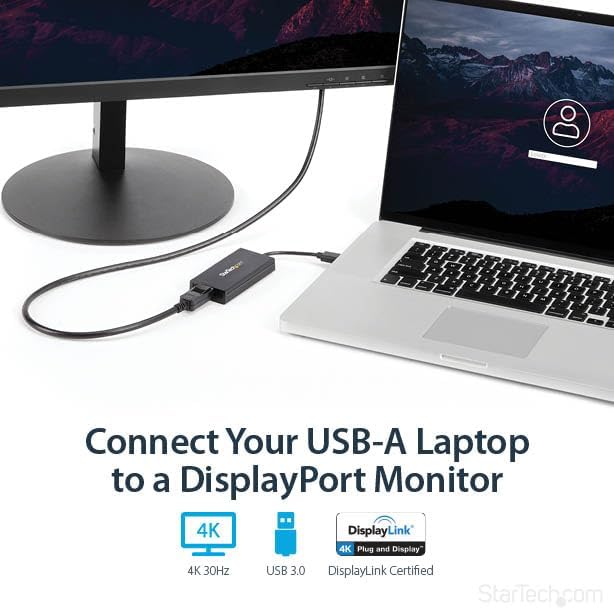
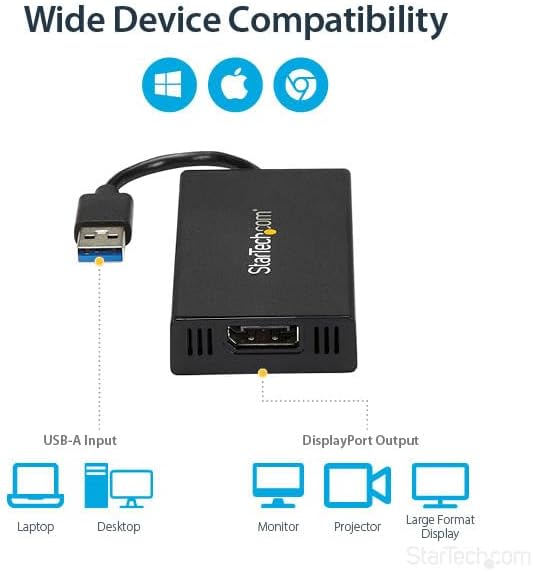
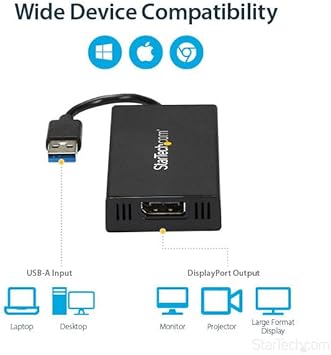
Use this USB 3.0 to DisplayPort converter to connect your Windows or Mac laptop / desktop to a secondary monitor, TV or projector using an available USB 3.0 port.

Fast
Shipping

Free
Return*

Secure Packaging

100% Original Products

PCI DSS Compliance

ISO 27001 Certified


What Stands Out
High Resolution Output
Delivers stunning 4K resolution at 30Hz, providing crystal-clear visuals for presentations, gaming, or streaming, making your experience vibrant and engaging.
Universal Compatibility
Supports both Mac and Windows systems, ensuring seamless connectivity across multiple devices without the need for additional drivers or software.
Plug-and-Play Ease
Features a simple plug-and-play design that allows for quick setup and immediate use, saving time and effort for both casual and professional users.
Product Details
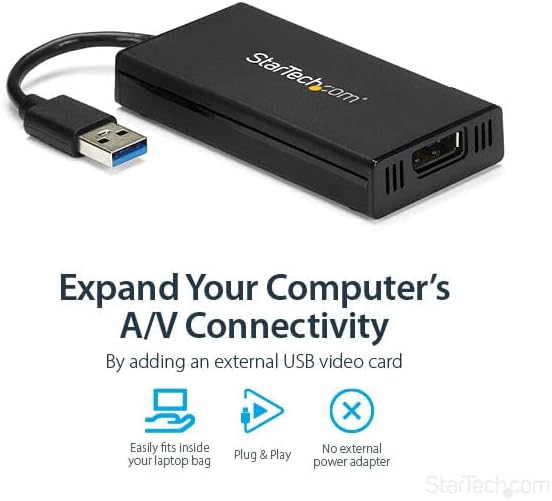
- PERFORMANCE: This USB 3.0 to DisplayPort dongle lets you connect your laptop or desktop computer to an DisplayPort monitor using a single USB Type-A port; Up to 4K 30Hz (UHD); HDCP 2.2; USB bus-powered; Compatible with 1080p
- INCREASE PRODUCTIVITY: USB-A to DP adapter lets you add a display in extended mode (2 displays total incl. laptop screen) through an available USB-A port; Supports ultrawide displays up to 3440x1440; Enable extended display on Apple M1/M2 MacBooks
- COMPATIBILITY: Works with Windows, macOS 10.14+, ChromeOS and Linux; Ensured compatibility with any USB-A laptop, Ultrabook, PC desktop or small form factor system; Works with systems even if 4K output is not natively supported by laptops/video cards
- NOTE: This adapter will not work with macOS version 10.13.4 to 10.13.6; We recommend users update to 10.14 or later to ensure compatibility with DisplayLink; Driver required for macOS; Auto-driver install with Windows and ChromeOS
- THE IT PRO'S CHOICE: Designed and built for IT Professionals, this USB Type-A to DisplayPort adapter dongle is backed for 2-years, including free lifetime 24/5 multi-lingual technical assistance
| Compatible Devices | Audio/Video Device, Laptop, Monitor, Projector, Television |
| Specific Uses For Product | Monitor,Projector,Tv |
| Connector Type | DisplayPort/USB |
| Number of Ports | 1 |
| Input Voltage | 5 Volts |
| Current Rating | 1 Amps |
| Power Plug Type | No Plug |
| Smart Home Compatibility | Not Smart Home Compatible |
| Color | Black |
| Finish | Mirror,Projector |
| Item Dimensions | 3.5 x 1.8 x 0.6 inches (8.9 x 4.6 x 1.5 cm) |
| Item Weight | 2.08 ounces (58.97 grams) |
| Package Quantity | 1 |
| Unit Count | 1.0 Count |
| Number of Items | 1 |
| Brand | StarTech.com |
| Model Number | USB32DP4K |
| UPC | 065030858380 |
| Global Trade Identification Number | 00065030858380 |
| Manufacturer | StarTech.com |
| Mfr Part Number | USB32DP4K |
| Built-In Media | User manual, cable or connector. |
| External Testing Certification | CE, FCC, DisplayLink |
| Item Type Name | A/V Cable |
| Item dimensions L x W x H | 3.5 x 1.8 x 0.6 inches (8.9 x 4.6 x 1.5 cm) |
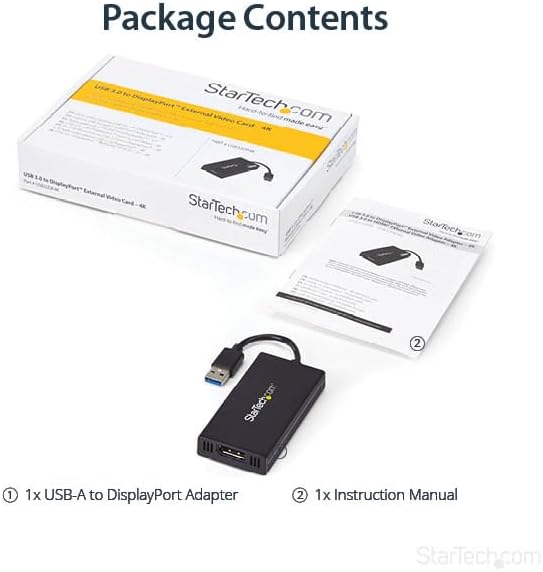
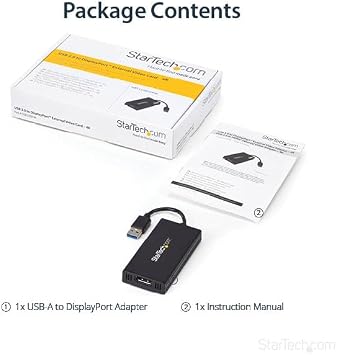
What's in the box
User manual, cable or connector.
Who Should Buy?

-
Multimedia Users
Perfect for users who require high-resolution displays for video streaming or presentations on multiple monitors.
-
Remote Workers
Ideal for remote employees needing an easy way to connect additional monitors to their work laptops.
-
Design Professionals
A great choice for graphic designers who need precise color display in their 4K UHD projects.

-
Gamers
Not suited for high-performance gaming due to lower refresh rates and potential lag at 30Hz.
-
Multiple Outputs
Not ideal for users needing to connect more than one external display simultaneously, as it supports only one.
-
Older Systems
Users with outdated USB ports might experience incompatibility issues with this USB 3.0-enabled adapter.
Product Description
Have any Query? Chat with us
Customer Questions & Answers
-
Question:
What is the resolution capability of the StarTech.com USB 3.0 to HDMI Adapter?
Answer: The StarTech.com USB 3.0 to HDMI adapter supports a maximum resolution of 4K at 30Hz UHD. This means you can connect your laptop or device to a 4K display, allowing you to enjoy stunning visuals and crisp image quality. This feature makes it a perfect choice for users who engage in high-definition media, graphic design, or gaming, providing an immersive viewing experience that enhances productivity and entertainment alike. -
Question:
Is the StarTech.com USB 3.0 to HDMI Adapter compatible with both Windows and Mac?
Answer: Yes, the StarTech.com USB 3.0 to HDMI Adapter is designed for compatibility with both Windows and Mac operating systems. This versatility means you can easily connect it to a wide array of devices, making it an ideal option for users who switch between operating systems. It allows for seamless connectivity, whether you’re displaying presentations or streaming content from your laptop to an external monitor. -
Question:
How does the USB 3.0 connection improve performance in the StarTech.com HDMI Adapter?
Answer: The StarTech.com HDMI adapter uses USB 3.0 technology, which offers faster data transfer rates compared to USB 2.0. This advancement ensures smooth video output and minimal lag, which is crucial for activities like gaming or video editing. The speed increase allows you to enjoy high-definition content without interruptions, making your viewing experience much more enjoyable, especially during high-action scenes or detailed graphics. -
Question:
Can this adapter be used for multiple displays?
Answer: While the StarTech.com USB 3.0 to HDMI Adapter is designed to connect a single external display, it can be used in conjunction with other adapters or devices to set up multiple monitors. For multitasking professionals, this allows for enhanced productivity by extending the desktop workspace. Whether for detailed data analysis or creative projects, having an additional screen can streamline your workflow to achieve better efficiency. -
Question:
What additional features does the StarTech.com USB 3.0 to HDMI Adapter offer?
Answer: The adapter not only supports high-definition video output but also supports audio transmission to the connected HDMI display. This combined feature is essential for a complete multimedia experience, allowing you to watch movies and play games with both top-notch visuals and sound quality. Users can enjoy streaming without needing to set up separate audio connections, simplifying the overall setup process and enhancing convenience. -
Question:
Is there a specific setup process for using the StarTech.com HDMI Adapter?
Answer: Using the StarTech.com USB 3.0 to HDMI Adapter typically involves a straightforward plug-and-play setup. Once plugged into your USB port, the device usually requires minimal configuration, utilizing native drivers from your operating system. This simplicity allows users to quickly connect their devices to external displays, making it perfect for on-the-go presentations or adding an external monitor to your home office without lengthy installation procedures. -
Question:
Does the StarTech.com USB 3.0 to HDMI Adapter require external power?
Answer: No, the StarTech.com USB 3.0 to HDMI Adapter does not require external power to function. It draws power directly from the USB port of your device, which adds to its portability and convenience. This feature is particularly beneficial for users who travel frequently and need a lightweight option that doesn’t clutter their workspace with extra cables and power supplies, making it ideal for presentations in various locations. -
Question:
What types of cables are included with the StarTech.com USB to HDMI Adapter?
Answer: The StarTech.com USB 3.0 to HDMI Adapter comes with a built-in USB cable for quick connectivity, but it does not include an HDMI cable. This design allows users to leverage their existing HDMI cables to connect to monitors or TVs. This flexibility means that you can choose the right length and type of HDMI cable for your specific setup, whether for a home theater, workplace, or educational environment. -
Question:
Can I use the StarTech.com USB 3.0 to HDMI Adapter for gaming?
Answer: Yes, the StarTech.com USB 3.0 to HDMI Adapter is suitable for gaming, as it supports 4K resolution at 30Hz, making it capable of displaying games at high quality. However, for fast-paced action games requiring higher refresh rates, users should note the 30Hz limitation. Even so, it's excellent for casual gaming or games that don't require the utmost frame rates, allowing gamers to enjoy a visually stunning experience on larger screens. -
Question:
Where can I buy the StarTech.com USB 3.0 to HDMI Adapter in Anguilla?
Answer: You can purchase the StarTech.com USB 3.0 to HDMI Adapter through Ubuy. Ubuy is a reliable platform that provides access to a wide range of products, including electronic accessories like this adapter. By shopping on Ubuy, you'll find detailed product descriptions and user reviews to help you make an informed choice on your purchase.
StarTech.com USB-to-VGA Adapters USB32DP4K Editorial Review


The StarTech.com USB 3.0 to HDMI Adapter is a DisplayLink certified converter used to connect a computer with USB to an HDMI display. Customers have asked questions regarding the compatibility with other devices and the limitations of the adapter. According to the responses, only one USB32HD4K is supported per computer and can be used with Dell WD15 docking stations, mac OS 10.14, Ubuntu 14.04-18.04, and ChromeOS devices using Chrome OS version 55 or above. Some customers have experienced issues regarding the resolution switching to 1920x1080 every other bootup or lagging when used for gaming or video. However, updating the drivers and firmware on the device seemed to fix the issue. Overall, this product is ideal for those who need to extend or duplicate their displays, and customers would recommend it as an affordable option.
Customer Reviews & Ratings
222 customers ratings
-
5 Star
72%
-
4 Star
10%
-
3 Star
7%
-
2 Star
4%
-
1 Star
7%
Review this product
Share your thoughts with other customers
Pros
- Affordable option to extend or duplicate displays
- Compatible with macOS 10.14, Ubuntu 14.04-18.04 and ChromeOS devices using Chrome OS version 55 or above
- Works with Dell WD15 docking stations and M1 or M2 Mac
- Easy to set up with DisplayLink manager software for Mac
Cons
- Only one adapter is supported per computer
Product Price History
Important information
- Limitations : For products shipped internationally, please note that any manufacturer warranty may not be valid; manufacturer service options may not be available; product manuals, instructions, and safety warnings may not be in destination country languages; the products (and accompanying materials) may not be designed in accordance with destination country standards, specifications, and labeling requirements; and the products may not conform to destination country voltage and other electrical standards (requiring use of an adapter or converter if appropriate). The recipient is responsible for assuring that the product can be lawfully imported to the destination country. When ordering from Ubuy or its affiliates, the recipient is the importer of record and must comply with all laws and regulations of the destination country.
- Not all the products listed on Ubuy are for sale, as Ubuy is a global search engine. Products are subject to export/trade regulations.
XCD 269
Order now and get it around Wednesday, July 01
This item is not restrict in my country.(Please click on above link if this item is not restrict in your country, So our team will review and allow.)
QTY:
Secured transaction
Ubuy works hard to protect your security and privacy. Our advanced payment security system ensures confidentiality by encrypting your information during transmission using AES (Advanced Encryption Standards) and SSL (Secure Socket Layer) protocols. Your payment details are 100% secure as we do not share your payment details with third party sellers.
Our Top Logistics Partners
Fastest cross-border delivery
Features & Benefits
- Create a dual monitor workstation
- Plug & Display, automatic driver installation
- Supports 4K resolutions up to 30Hz
- USB-powered, no external power required
- Can be used to extend or mirror your display
- IT-grade USB 3.0 display adapter, backward compatible with USB 2.0